
Quick Answer: Televizo or TiviMate?
Choosing an IPTV player can be surprisingly difficult. Two applications may support the same playlist but offer completely different experiences when it comes to navigation, device compatibility, customization, and everyday use. Televizo and TiviMate are two popular names, and while both are designed to help you access and organize compatible IPTV playlists, they are not identical.
Neither player automatically includes premium television channels simply because you install it. You need a compatible playlist or television service that you are legally authorized to access. The comparison below explains what each player does well so you can match it to your setup.
What Is Televizo?
Televizo is an Android-based IPTV and media playlist player designed to organize compatible playlists and present channels and media in an accessible viewing interface. Its publicly listed features include multiple playlist support, an electronic program guide (EPG), favorites and channel organization, catch-up support where provided by the source, Chromecast support on compatible devices, audio/video/subtitle selection, and searching and sorting capabilities.
One important advantage is its use across different Android device types. Someone who watches on an Android phone and a Google TV device may prefer using a familiar player across both, rather than learning a separate app for each screen. That cross-device consistency is a core part of Televizo's design.
Learn more about Televizo Player →What Is TiviMate?
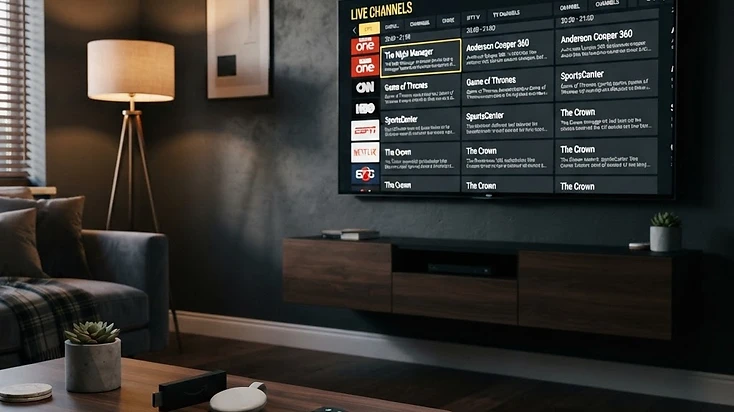
TiviMate is another IPTV player, best known for its television-oriented interface. It is particularly relevant to people who spend most of their viewing time using a Fire TV, Android TV box, or Google TV television. Its design emphasizes navigating live television channels with a remote control and browsing television guide information in a traditional broadcast-style layout.
TiviMate is worth considering for a dedicated living-room setup, especially if you value a traditional TV-guide experience. Before purchasing premium features in either application, check the current official feature lists and prices, because availability and licensing arrangements can change over time.
Televizo vs TiviMate: Feature Comparison
Both applications can be good choices. The distinction is less about whether an IPTV playlist can play and more about how comfortably you can organize and navigate the content once it does. The table below summarizes how the two players compare across the features that matter most.
| Feature | Televizo | TiviMate |
|---|---|---|
| Android TV | Supported | Supported |
| Google TV | Supported | Supported |
| Fire TV devices | Supported on compatible models | Supported on compatible models |
| Android phones | Supported | Primarily TV-oriented |
| M3U playlists | Supported | Supported |
| Xtream-style login | Supported | Supported |
| EPG / TV guide | Supported | Supported |
| Multiple playlists | Supported | Supported; feature availability may depend on tier |
| Favorites | Supported | Supported |
| Official support site | Yes — dedicated docs | No — community resources |
| Free tier | Full core features | Limited to one playlist |
| Premium options | Available (optional) | Available |

Which Player Is Better for Firestick?
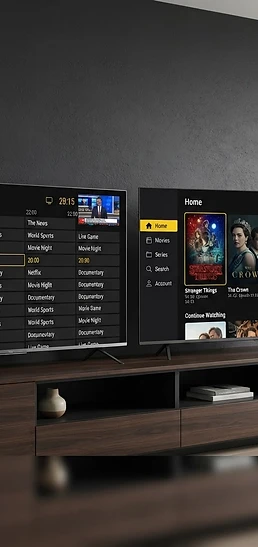
Firestick users generally want three things: responsive navigation, stable playback, and convenient access to channels. TiviMate is particularly attractive for viewers who primarily use a television remote and want extensive guide-centered navigation. Televizo provides a more flexible option for users who also want a familiar Android mobile experience on the same player.
The choice should depend on personal preference rather than claims that one application automatically delivers better stream quality. Streaming performance depends on your device, internet connection, media encoding, and television service — not on which player brand you install. For a detailed Firestick installation walkthrough, the Televizo setup guide covers sideloading step by step.
Read the Televizo Firestick setup guide →Which Player Is Better for Android Phones?
For smartphone and tablet users, Televizo is the more natural starting point. It has a dedicated Android application that can display IPTV playlists on smaller touchscreens, which is useful for people who regularly switch between television and mobile viewing. TiviMate's strongest emphasis is its large-screen television interface rather than conventional smartphone use.
If mobile compatibility is important to you, verify device support before paying for any premium application. A player that works beautifully on a 55-inch TV but feels awkward on a 6-inch phone will frustrate anyone who watches on the go. Televizo's cross-device approach means the same app, the same playlists, and the same muscle memory on every screen.
Does Televizo Have Better Picture Quality?
Not automatically. This is a common misconception when comparing IPTV applications. Picture quality depends on several factors that have nothing to do with which player you open the stream in.
- Source resolution: A low-resolution stream will not become genuine 4K simply because you open it in another player.
- Video bitrate: Streams with insufficient bitrate may look compressed or blurry regardless of the app.
- Network stability: Weak Wi-Fi, packet loss, or congestion can interrupt playback in any player.
- Hardware decoding: Your streaming device needs to support the video's codec and resolution.
- Player compatibility: Different decoding or playback implementations can affect how a specific stream behaves, but this is stream-specific, not brand-wide.
If the same stream works in one player but not another, investigate player settings and codec compatibility before assuming that the subscription itself is better or worse. For tuning playback performance, the decoder settings guide covers hardware vs software decoding in detail.
Read the IPTV decoder settings guide →Is Televizo Free?
Televizo can be installed and used with free functionality, while additional functionality may be available through in-app purchases. Check the current Google Play listing for the specific pricing and features available to your account. Remember that the player application and a television subscription are separate products — buying player premium features does not automatically create a television service subscription.
TiviMate also has a free tier, but it is more limited — typically restricted to a single playlist and basic features, with the full version requiring a paid license. Televizo's free tier includes core features like multiple playlists, EPG, favorites and channel blocking, so you can evaluate the full experience before deciding whether the Premium upgrade is worth it.
Can You Switch from TiviMate to Televizo?
Yes, provided you have compatible playlist information and the right to use it. Switching players does not change your service — it only changes the app you use to view it. To get started:
- 1
Find your playlist credentials
Locate your existing M3U playlist URL or Xtream-style server, username and password from your current provider.
- 2
Install Televizo
Install Televizo from a trusted source — the Google Play Store on Android TV, or the official download link on Firestick via the Downloader app.
- 3
Open the playlist setup interface
Launch Televizo and choose Add Playlist from the main screen.
- 4
Enter your credentials
Select M3U or Xtream Codes, enter your URL or server details, and save the playlist.
- 5
Allow the channel list to load
Wait for the channels and groups to populate — this may take longer for very large playlists.
- 6
Configure favorites and EPG
Set up your favorites, channel groups, and EPG source if available, then start watching.
Your provider may restrict simultaneous connections or impose account-specific device limits, so check those conditions before using multiple players at once. For a complete walkthrough, the Televizo setup checklist covers every step.
Go to the Televizo setup checklist →Frequently Asked Questions
These are the most common questions about choosing between Televizo and TiviMate, with direct answers.
Final Verdict
The best IPTV player is the one that works comfortably with your devices and compatible playlist. Choose Televizo when cross-device Android compatibility and straightforward playlist management are your priorities. Choose TiviMate when your main priority is a TV-centered interface with extensive remote-control navigation.
If you have not tried Televizo, start with the free application, test it with your own authorized playlist, and evaluate its performance before purchasing additional features. The quickest way to decide is to install both, load the same playlist, and spend ten minutes navigating each — the interface that feels natural to you is the right one.
Note: Features and premium entitlements can change. Consult each developer's official product information before purchasing.
Televizo Editorial Team
Product Documentation & Support
The Televizo Editorial Team writes and maintains the official documentation for Televizo Player. We test every guide on real Android TV, Fire TV, Google TV and Smart TV hardware using both M3U and Xtream Codes playlists, and we update articles whenever the app or setup steps change.
Published 9 Oct 2026 · Last updated 9 Oct 2026 · Reviewed for accuracy 9 Oct 2026
Related Televizo Guides
Ready to get started?
Install Televizo, add your playlist, or get help from our support team.